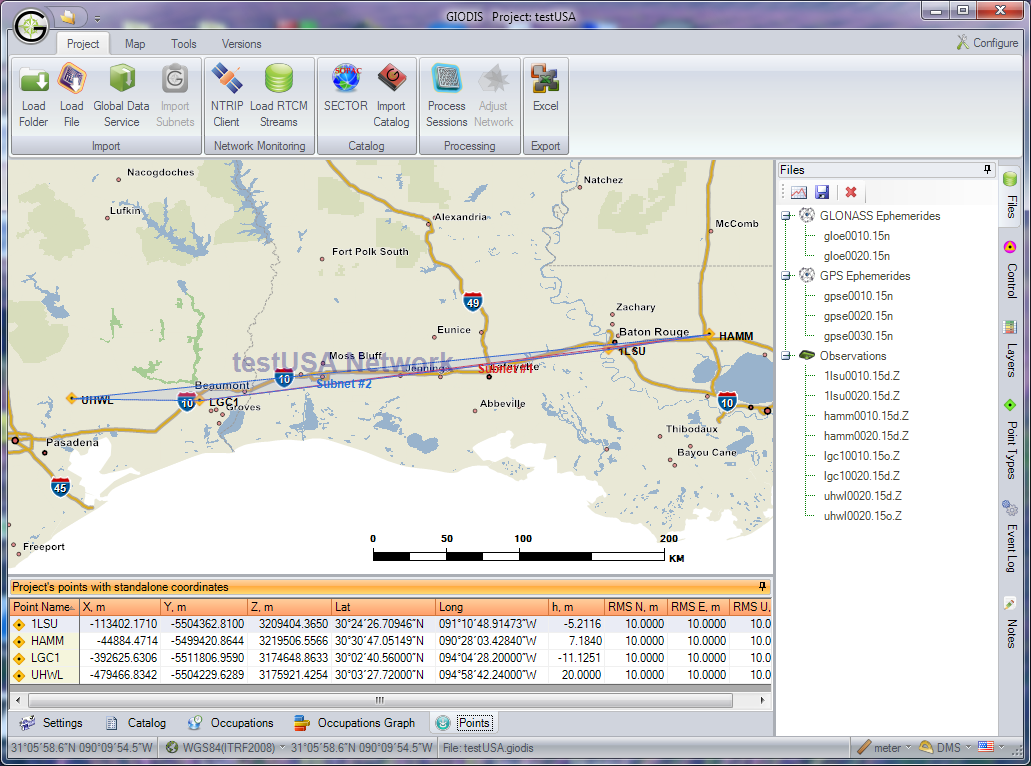
Giodis
Full-featured office post-processing software for high-precision geodetic and surveying applications with convenient user interface.
Solves wide range of practical surveying tasks using advanced scientific approach.
- Advanced post-processing:
- Baseline and session processing of zero-differenced GNSS data.
- Automatic removal of trivial baselines
- Direct estimation of ionosphere, troposphere, and satellite/receiver clocks.
- Uses global meteorological dataset to improve processing.
- Uses ITRF control points to make processing more robust.
- Calculates baselines up to 2000 km at the centimeter level of accuracy.
- Network adjustment:
- Minimally constrained network adjustment of baselines and/or session subnets.
- Fully constrained 1D, 2D and 3D network adjustment with vertical and/or horizontal control.
- Allows merging control points and processed session subnets from different projects for their common adjustment.
- Quality control for each step of data processing:
- Quality statistics for satellites and receivers.
- Graphical analysis of phase and pseudorange data residuals.
- Performs statistical tests to reject data outliers and get realistic accuracy estimates.
- Internet download-manager:
- Unattended and explicit downloading of IGS and CORS data for over 7000 worldly distributed stations.
- Coordinate systems:
- Extendable database with over 3000 global, national, and local coordinate system definitions, including transformation parameters and geoids.
- Coordinate system editor for editing and adding new ECEF, horizontal and vertical systems.
- Calculator to transform coordinates between two arbitrary coordinate systems.
- Reference points catalogs:
- Storing and editing control point coordinates.
- Obtaining high-accurate coordinates for permanent reference stations by given region from Scripps Epoch Coordinate Tool and Online Resource.
- Antenna library:
- Extendable antenna library that includes IGS and NGS absolute and relative antenna calibration parameters, phase center variations, and physical dimensions.
- Background maps:
- Detailed background maps covering the entire United States from the national level down to detailed street networks (TIGER data).
- World maps of any location on Earth with common geographic features.
- Mission Planning:
- GPS, Glonass, Galileo and SBAS satellite availability.
- Reporting:
- Editable report generation (Excel document) for all steps of working on a project.
- Support project notes and processing/adjustment logging.
- Modern user interface:
- Uploading and processing data with minimal interaction.
- Advanced user can manage internal data flow by explicit request.
- High-quality visualization, reporting, and printing.
- Multilingual support: English, Russian, and Spanish.
- Data protection:
- Projects and point catalogs can be encrypted to protect business data.
- Typical applications:
- High accuracy static and fast static surveys.
- Creating local control networks.
- Monitoring of permanent networks.
- Easy and precise ties to high-accuracy ITRF frame (IGS/CORS stations).